
Creating and Listing IBANs
As we covered in the Flow of Funds workflow, a TransFi IBAN is a dedicated virtual bank account assigned to a specific entity (like a Customer or Merchant). These IBANs allow you to safely receive and send fiat currency, with funds being matched to specific orders to move from "Locked" to "Available" status.
You can manage your IBANs either directly through the TransFi Dashboard UI or programmatically via our API.
1. Check Supported Payment Methods
Before creating an IBAN, you may want to verify the supported payment methods and partner banking rails available for your target currency and beneficiary type.
Use the following GET request to retrieve the supported configurations:
curl --request GET \
     --url 'https://sandbox-api.transfi.com/v3/config/payment-methods/iban?currency=EUR&beneficiaryType=individual&limit=100&page=1' \
     --header 'MID: *****' \
     --header 'accept: application/json' \
     --header 'authorization: *****'
2. Creating an IBAN
Every IBAN you create is mapped to exactly one owning entity. Once created, the IBAN ownership is immutable.
Method A: Via the TransFi Dashboard (UI) - Production Only
You can easily generate a new IBAN directly from your dashboard without writing any code.
-
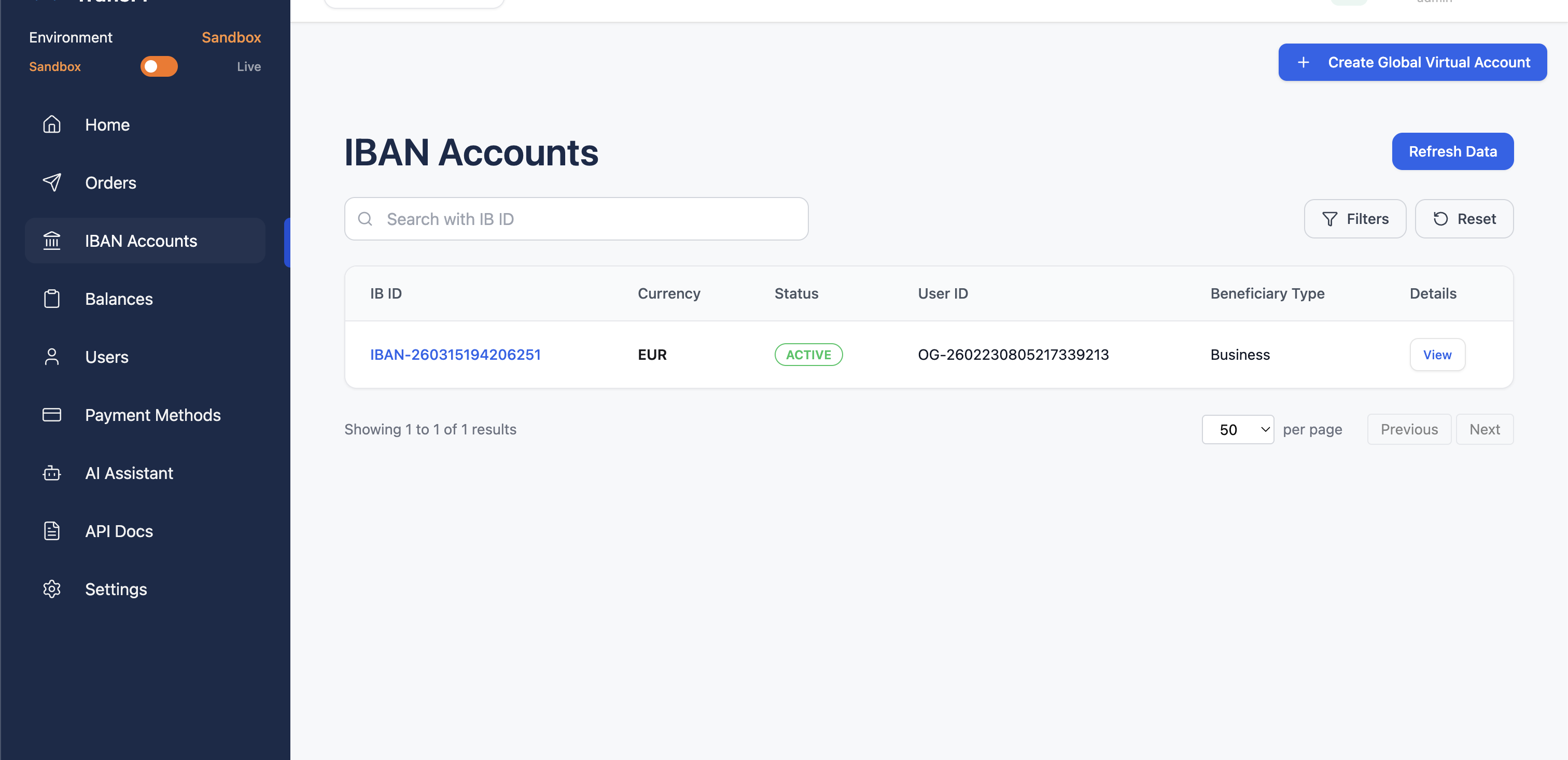
Navigate to the IBAN Accounts section in your dashboard.
-
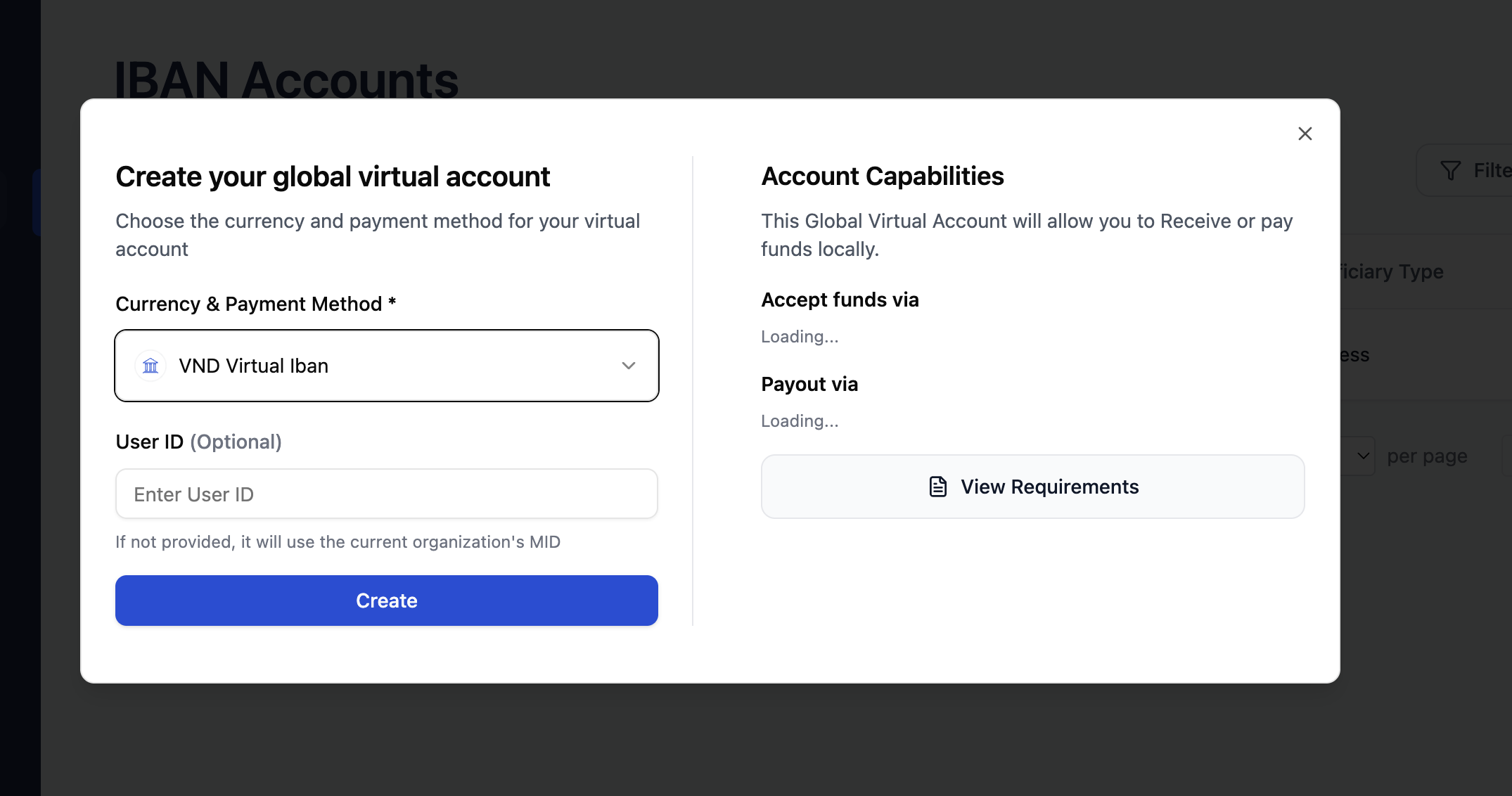
Click on Create New IBAN.
-
Fill in the required customer or merchant details and select your target currency.
-
Click Generate.
Method B: Via the API
To create a virtual IBAN programmatically, make a POST request to the /create-iban endpoint. You will need to pass your MID and Authorization headers, along with a JSON payload containing the customer's KYC/KYB details.
Request:
curl --location 'https://sandbox-api.transfi.com/v3/iban/create-iban' \
--header 'accept: application/json' \
--header 'content-type: application/json' \
--header 'MID: *****' \
--header 'Authorization: *****' \
--data-raw '
{
  "uiEnabled": false,
  "currency": "EUR",
  "paymentCode": "virtual_iban",
  "customer": {
        "firstName": "John'\''s",
        "lastName": "Tech LLC",
        "businessRegistrationNumber": "000000",
        "email": "[email protected]",
        "street": "123 Main Street",
        "city": "Berlin",
        "beneficiaryType": "business"
    }
}
'
Success Response:
{
    "status": "success",
    "message": "Virtual IBAN created successfully",
    "data": {
        "ibId": "IBAN-260315194427593",
        "userId": "OG-2602230805217339213",
        "status": "ACTIVE",
        "country": "HK",
        "paymentPartner": "openpayd",
        "currency": "EUR",
        "assigned": true,
        "orgId": "OG-2602230805217339213",
        "webhookUrl": "https://webhook.site/f7963d58-6b7c-471d-985b-4186c12c6199",
        "customer": {
            "firstName": "John's",
            "lastName": "Tech LLC",
            "businessRegistrationNumber": "000000",
            "email": "[email protected]",
            "street": "123 Main Street",
            "city": "Berlin",
            "beneficiaryType": "business",
            "userId": "OG-2602230805217339213",
            "name": "John's Tech LLC"
        },
        "isAutoReconcileEnabled": true,
        "issuedFor": "organization",
        "accountHolderId": "afd573b6-c7e5-41c9-b5da-f2ff8293111f",
        "internalAccountId": "EUR260315194427593",
        "iban": "MT82CFTE28004347869908225110492",
        "bic": "CFTEMTM1",
        "accountNumber": "347869908225110492",
        "createdAt": "2026-03-15T19:44:27.590Z",
        "updatedAt": "2026-03-15T19:44:27.590Z",
        "bankAccountHolderName": "John's Tech LLC",
        "bankAddress": "Level 3, 137 Spinola Road St. Julian's STJ 3011",
        "bankName": "OpenPayd"
    }
}
3. Listing Your IBANs
You can view a complete list of all active IBANs mapped to your account, which is helpful for auditing or checking balances across multiple currencies.
Method A: Via the TransFi Dashboard (UI)
- Navigate to the IBAN Accounts section in your dashboard.
- View the unified table displaying all your issued IBANs, their associated currencies, and their current "Locked" vs. "Available" balances.
Method B: Via the API
To retrieve a list of your IBANs programmatically, make a GET request to the /list-iban endpoint. You can use query parameters like currency, limit, and page to filter and paginate your results.
Request:
curl --location 'https://sandbox-api.transfi.com/v3/iban/list-iban?currency=EUR&limit=100&page=1' \
--header 'accept: application/json' \
--header 'MID: *****' \
--header 'Authorization: *****'
Success Response:
{
    "status": "success",
    "message": "Virtual IBANs listed successfully",
    "data": [
        {
            "ibId": "IBAN-260315194206251",
            "userId": "OG-2602230805217339213",
            "status": "ACTIVE",
            "country": "HK",
            "bankAddress": "Level 3, 137 Spinola Road St. Julian's STJ 3011",
            "iban": "MT98CFTE28004899773892603269758",
            "bankName": "OpenPayd",
            "bankAccountHolderName": "John's Tech LLC",
            "currency": "EUR",
            "customer": {
                "firstName": "John's",
                "lastName": "Tech LLC",
                "businessRegistrationNumber": "000000",
                "email": "[email protected]",
                "street": "123 Main Street",
                "city": "Berlin",
                "beneficiaryType": "business",
                "userId": "OG-2602230805217339213",
                "name": "John's Tech LLC"
            }
        },
        {
            "ibId": "IBAN-260315194421712",
            "userId": "OG-2602230805217339213",
            "status": "ACTIVE",
            "country": "HK",
            "bankAddress": "Level 3, 137 Spinola Road St. Julian's STJ 3011",
            "iban": "MT60CFTE28004010036318207559075",
            "bankName": "OpenPayd",
            "bankAccountHolderName": "John's Tech LLC",
            "currency": "EUR",
            "customer": {
                "firstName": "John's",
                "lastName": "Tech LLC",
                "businessRegistrationNumber": "000000",
                "email": "[email protected]",
                "street": "123 Main Street",
                "city": "Berlin",
                "beneficiaryType": "business",
                "userId": "OG-2602230805217339213",
                "name": "John's Tech LLC"
            }
        },
        {
            "ibId": "IBAN-260315194427593",
            "userId": "OG-2602230805217339213",
            "status": "ACTIVE",
            "country": "HK",
            "bankAddress": "Level 3, 137 Spinola Road St. Julian's STJ 3011",
            "iban": "MT82CFTE28004347869908225110492",
            "bankName": "OpenPayd",
            "bankAccountHolderName": "John's Tech LLC",
            "currency": "EUR",
            "customer": {
                "firstName": "John's",
                "lastName": "Tech LLC",
                "businessRegistrationNumber": "000000",
                "email": "[email protected]",
                "street": "123 Main Street",
                "city": "Berlin",
                "beneficiaryType": "business",
                "userId": "OG-2602230805217339213",
                "name": "John's Tech LLC"
            }
        }
    ],
    "pagination": {
        "total": 3,
        "pages": 1,
        "currentPage": 1,
        "limit": 100,
        "hasNext": false,
        "hasPrev": false
    }
}
Updated 6 months ago